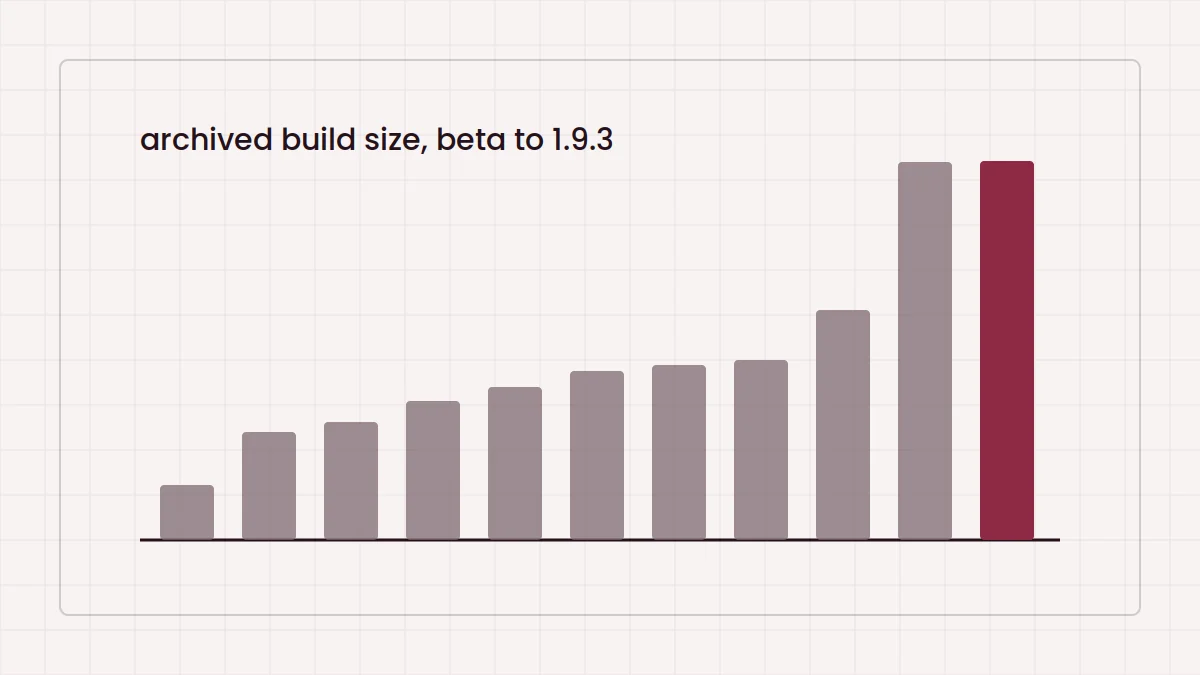
Recent builds of The Broken Script Mod are large; the 1.9 line is about 86 MB, several times the size of the early beta. A few settings changes keep the game responsive without removing what makes the mod work.
Why the mod needs headroom
Custom entities, sounds, textures and structures all consume memory and processing time. Forge itself also uses more memory than vanilla. If your profile still has the launcher's default allocation, a large mod can push it to the limit.
Allocating memory
In the official launcher, open Installations, edit the Forge 1.20.1 profile, open More options and change -Xmx2G in the JVM arguments to a larger value. Around -Xmx4G is a common starting point for a Forge profile with a mod of this size. Other launchers have a memory slider in the instance settings.
More is not always better. Assigning most of your system's RAM leaves too little for the operating system and can make stutter worse. Stay well below your total memory.
Video settings that matter
- Render distance: 8 to 12 chunks is a good balance. Horror atmosphere does not depend on seeing far.
- Simulation distance: lowering it reduces how much the world updates around you.
- Max framerate: cap it at your monitor's refresh rate to cut needless load.
- Clouds and particles: reduce them before touching anything that affects mood, like lighting.
Shaders and other mods
Shaders change lighting, which can clash with the mod's intended look and cost a lot of performance. Try the mod without them first. When adding other mods, add a few at a time so you can tell which one causes a slowdown or crash.
If you host a world
This site does not document multiplayer behaviour for the mod. If you experiment with hosting, keep view distance modest and allocate memory to the server process as well. For startup errors, see the crash fixes guide, and for build sizes, the version history. You can also return to the how it works overview.